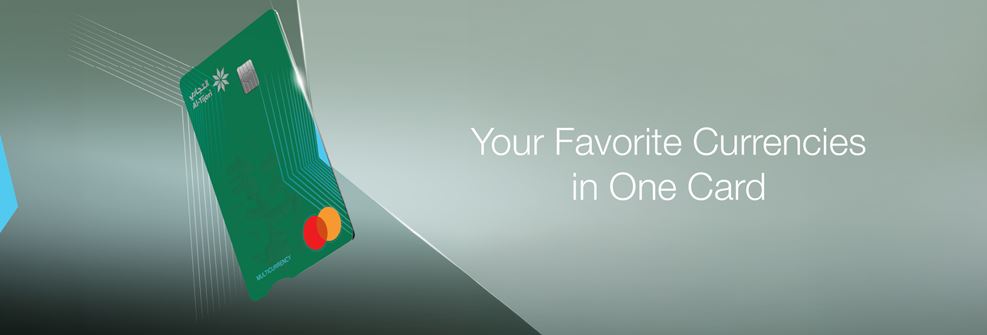
Now, Al-Tijari provides you with a Multi-Currency Prepaid Mastercard that allows customers to benefit from secured locked-in exchange rates in 13 different currencies, controlled at the palm of your hands, without having to carry multiple cards or cash in different currencies. The reloadable Prepaid Mastercard is designed for travelers, online shoppers and students studying abroad making transactions more convenient and easy.
Customers can choose from a variety of foreign currencies on their online banking and benefit from secured exchange rates.
Who is it for?
- Online shoppers.
- Travelers.
- Students abroad.
Features & Benefits
- Secured locked-in exchange rates
- Easy and fast reload
- Safe and secure
- Worldwide acceptance payments
- A convenient way of banking
- Choice of currencies to activate online
- Cash withdrawal across local and international ATMs
What are the available foreign currencies?
US DOLLAR
$ | AUSTRALIAN DOLLAR
A$ | CANADIAN DOLLARS
C$ | EURO
€ | JAPANESE YEN
¥ |
POUND STERLING
£ | SWISS FRANC
₣ | NORWEGIAN KRONE
KR | SWEDISH KRONA
KR | DANISH KRONE
KR. |
SAUDI RIYAL
SAR | QATARI RIYAL
QAR
| EMIRATI DIRHAM
AED
|
|
|
Ensure a minimum balance of KWD 20 in your prepaid card prior to opening a foreign currency wallet (or equivalent in foreign currency).
Fees & Charges
- Prepaid Mastercard issuance fees: KWD 15/-
- Prepaid Mastercard renewal fees: KWD 15/-
*Prepaid MasterCard Terms and Conditions applies, to know more Click here!
CBK Mobile App Steps
How to open a foreign currency wallet?
1. Login/register to CBK Mobile App and select “Cards” tab.
2. Select your “Prepaid MasterCard” located under “Credit Cards”*.
3. Select “Manage Multi-Currency ” tab to add your preferred currency.
4. Select “Add New Currency” & choose currency.
5. Fill the required fields & proceed.
How to Top-up/Unload foreign currency wallet?
1. Login/register to CBK Mobile App and select “Cards” tab.
2. Select your “Prepaid MasterCard” located under “Credit Cards”.
3. Select “Manage Multi-Currency” tab and choose your preferred wallet.
4. Select “Top-up” / “Unload”.
5. Fill the required fields & proceed.
Internet Banking/Online Steps:
How to open a foreign currency wallet?
1. Login/register to CBK Online Banking.
2. From the menu, select “Account Summary”.
3. Choose “Multi-Currency Wallet”.
4. Select your Prepaid Mastercard from the drop-down menu.
5. Select “Add New” & choose currency.
6. Fill the required fields & proceed.
How to Top-up/Unload your foreign currency wallet?
1. Login/register to CBK Online Banking.
2. From the menu, select “Account Summary”.
3. Choose “Multi-Currency Wallet”.
4. Select your Prepaid Mastercard from the drop-down menu.
5. Select “Top-up” / “Unload” located next to each currency wallet.
6. Fill the required fields & proceed.
You can view your history statement while on your selected Prepaid Mastercard. For more information,Click here!
Customize Your Daily Card Limits
You can now customize your daily card limits and number of transactions by payment channel, giving you greater control over how and where your card is used.
- Cash Withdrawal.
- POS Purchases.
- Secure Purchases on Online Gateways.
- Unauthenticated Purchases on Online Gateways.
How to Amend Your Limits?
CBK Mobile App:
1. Log in to CBK Mobile App.
2. Tap on Cards.
3. Click on Credit Cards.
4. Select your card.
5. Tap on Amend Limit.
Internet Banking:
1. Log in to Internet Banking.
2. Go to the Cards section.
3. Click Manage.
4. Select Amend Limit.
Terms and Condition:
- Maximum Digital Increase: The maximum allowed increase via digital channels is double the limits set by the Bank. To increase the limits beyond this threshold, customers must visit the nearest CBK branch.
- Secure Purchases: Transactions processed using OTP verification or 3D Secure authentication.
- Unauthenticated Purchases: Transactions processed without OTP or 3D Secure verification.
- Cash Withdrawal Limit Update: Any amendment to cash withdrawal limits will be applied on the next business day.
Assistant & Support
For further assistance and support, kindly visit our FAQ or contact us using any of the following channels:
- Al-Tijari Live Video Banking or WebChat through the Mobile Application or by visiting www.cbk.com
- Al-Tijari WhatsApp & Al-Tijari Contact Centre 1888225
Bank at ease with CBK Mobile APP
Download Now..!


 Online Banking
 Al-Tijari Financial Brokerage